Ensight: ads, MMP and analytics in one place, with an AI review
When a team runs dozens of ad accounts, every morning looks the same: open Meta, then Google Ads, then Adjust, reconcile the numbers, find what dropped and figure out whose attribution is right. Once a week a report for every client is added on top. Ensight removes this work: every source sits in one place, and an AI prepares the weekly review and report drafts.
One overview across all ad accounts
Spend, impressions, clicks, CTR, CPC, CPM, conversions, CPA and ROAS from every ad platform in one table. Switch the view between platforms, accounts and campaigns, compare with the previous period and export to CSV. Data syncs on its own and history is kept, so trends are visible without manual exports.
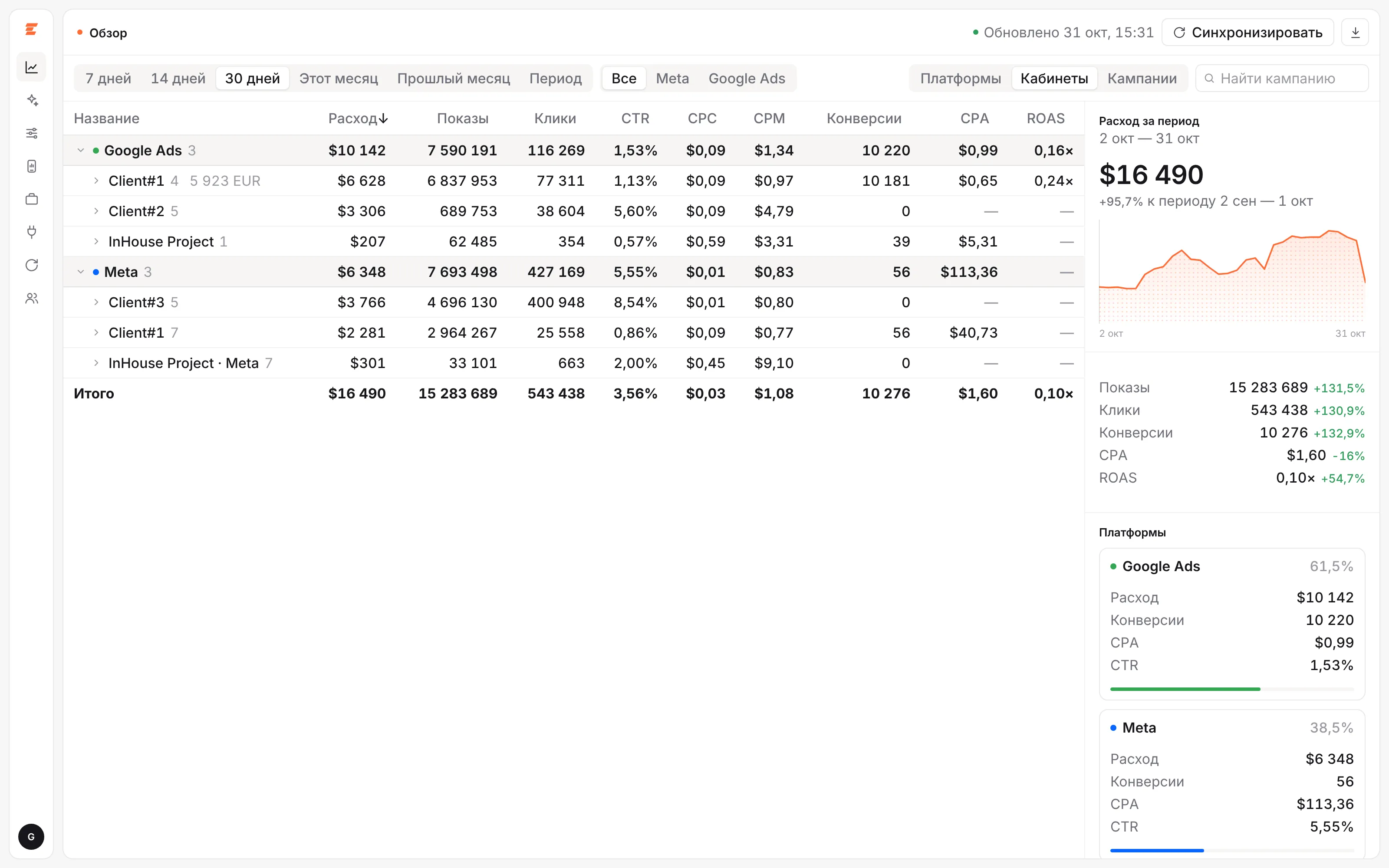 The overview. Client and campaign names in the screenshots are replaced.
App ads center
For mobile products, Ensight joins spend from the ad accounts with installs and events from your MMP (Adjust or AppsFlyer). One screen shows CPI, conversion to the target event and CAC against targets, split by iOS and Android, by campaign, with organic next to paid. Gaps between ad platform and MMP attribution show up right away, not at the end of the month.
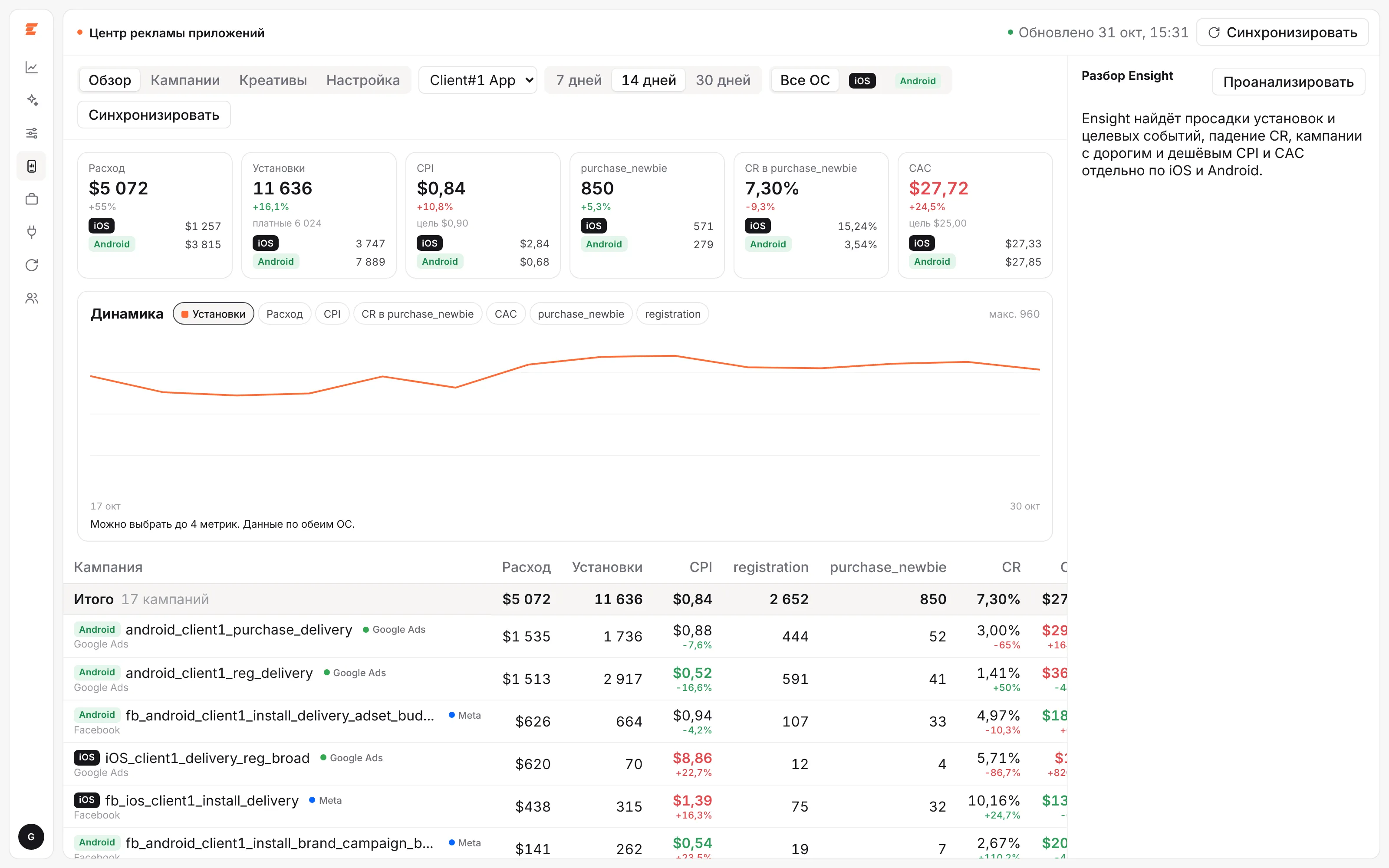 App ads center: ad platform and MMP metrics on one screen.
Weekly AI review and questions to your data
Every week Ensight compares results with the previous week and writes a review: what grew, what got more expensive, which accounts spend without conversions and where ad platform numbers disagree with the MMP. To dig deeper, ask in the chat, for example “why did spend drop on the 13th”, and get an answer pointing to specific accounts and campaigns.
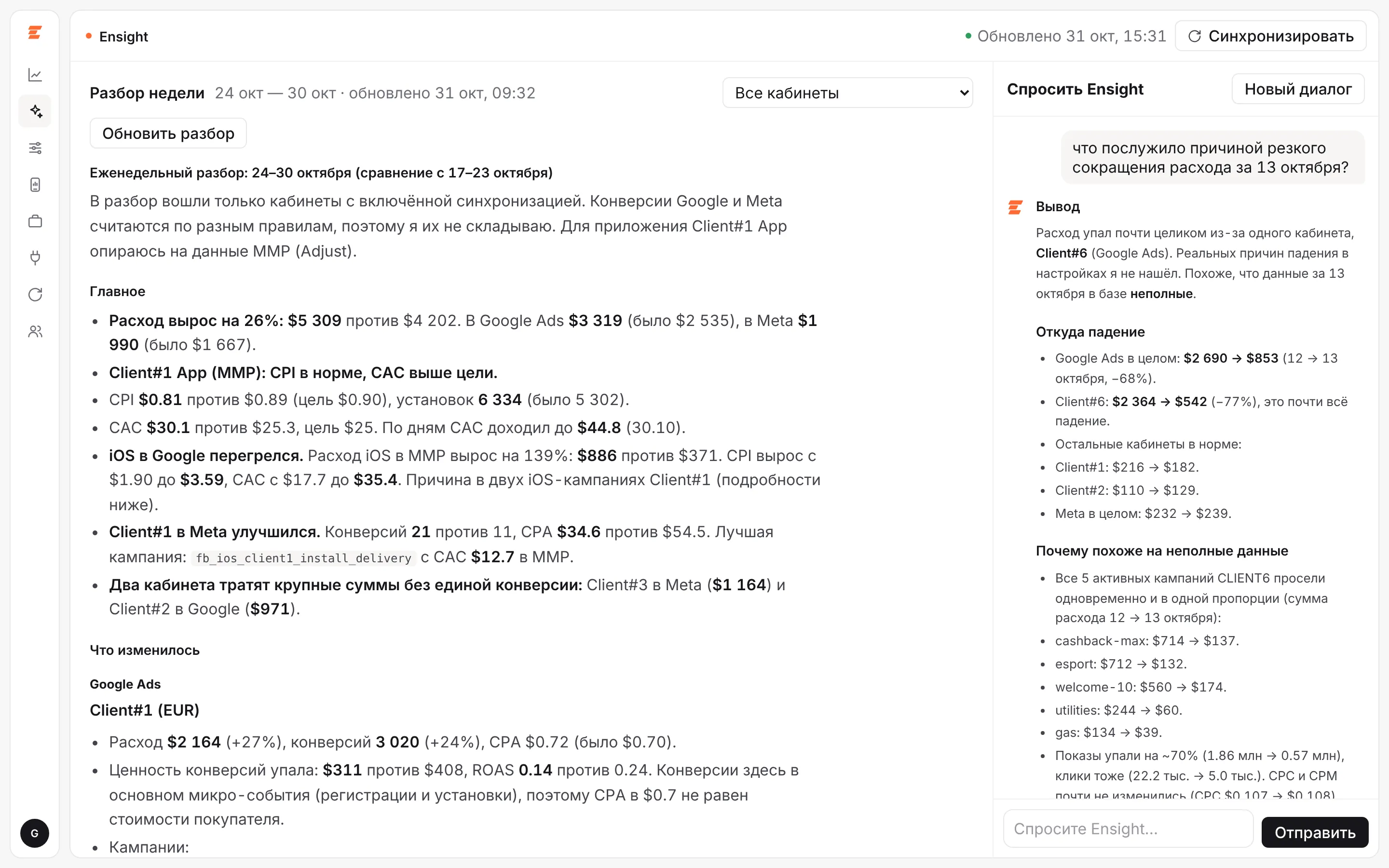 Weekly review and a chat with your data.
Campaign management
Statuses, daily budgets and bid strategies of campaigns and ad sets are visible and editable right in Ensight, without switching between ad accounts. Every change is logged, so it is always clear who touched a budget and when.
 Campaigns and ad sets of one ad account.
A CLI for analysts and reports
The platform has its own CLI. Analysts and AI assistants use it to work with the same data as the dashboard: research audiences, build dashboards for a specific question and prepare reports. Reports are built from presentation templates: pick one or several templates, and Ensight fills them with fresh weekly results for internal or client reporting.
Who it is for
- Agencies that run ads for several clients and dozens of accounts and spend hours collecting numbers and building reports.
- In-house teams in marketing and product for mobile apps, fintech and e-commerce who need the full picture from spend to the target event.
Results in practice
At the marketing agency elim.io, Ensight cut the time spent on daily tracking and data analysis by 63%, audience research and insights from 4–6 hours to 20–40 minutes, and the weekly client report from an hour and a half to 10 minutes. Read the case.
How the setup works
- A call. We go through your ad accounts, MMP, web analytics and the reports your team and clients need.
- Connection. Ensight is deployed for your team, sources are connected and history is loaded.
- Configuration. Target events, CPI and CAC goals, report templates and team access.
- Launch and support. The team works in the platform, while it stays maintained and grows with your needs.
The format and price depend on the number of accounts and sources and are discussed on a call.